



Let me introduce you to Size And Position in VSTO Add-in.
Please follow these steps to install Power Up Kit VSTO.
How to Use
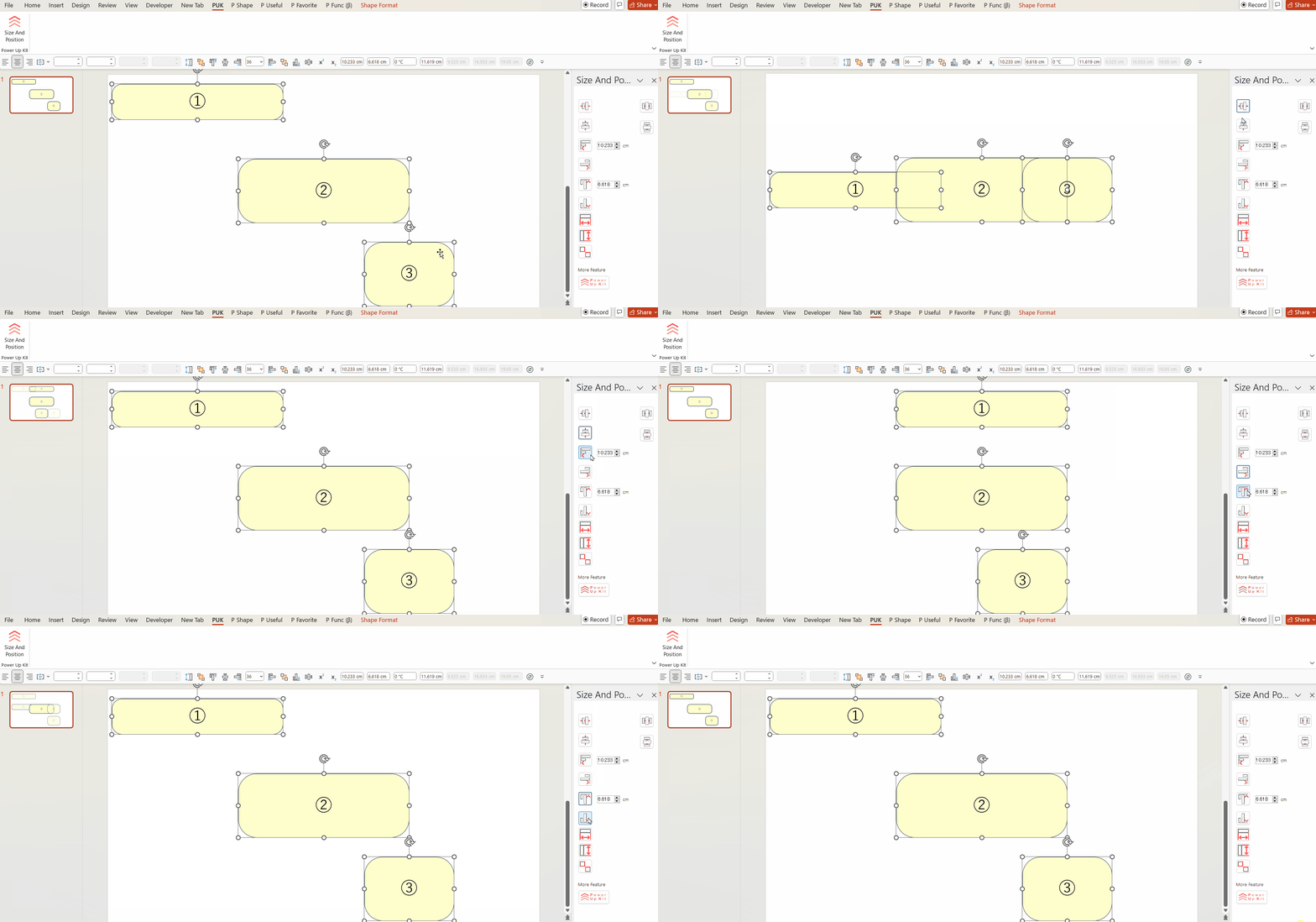
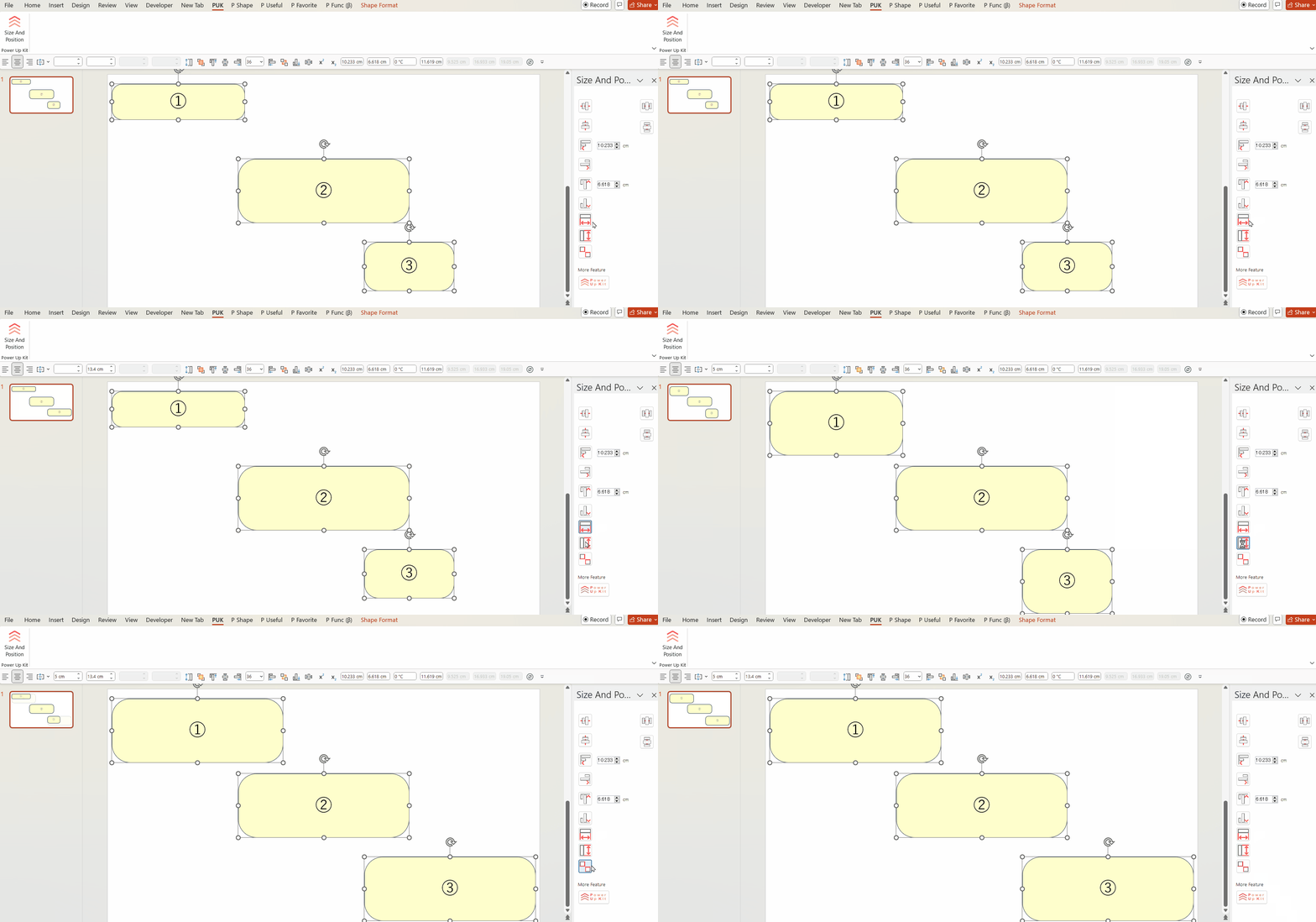
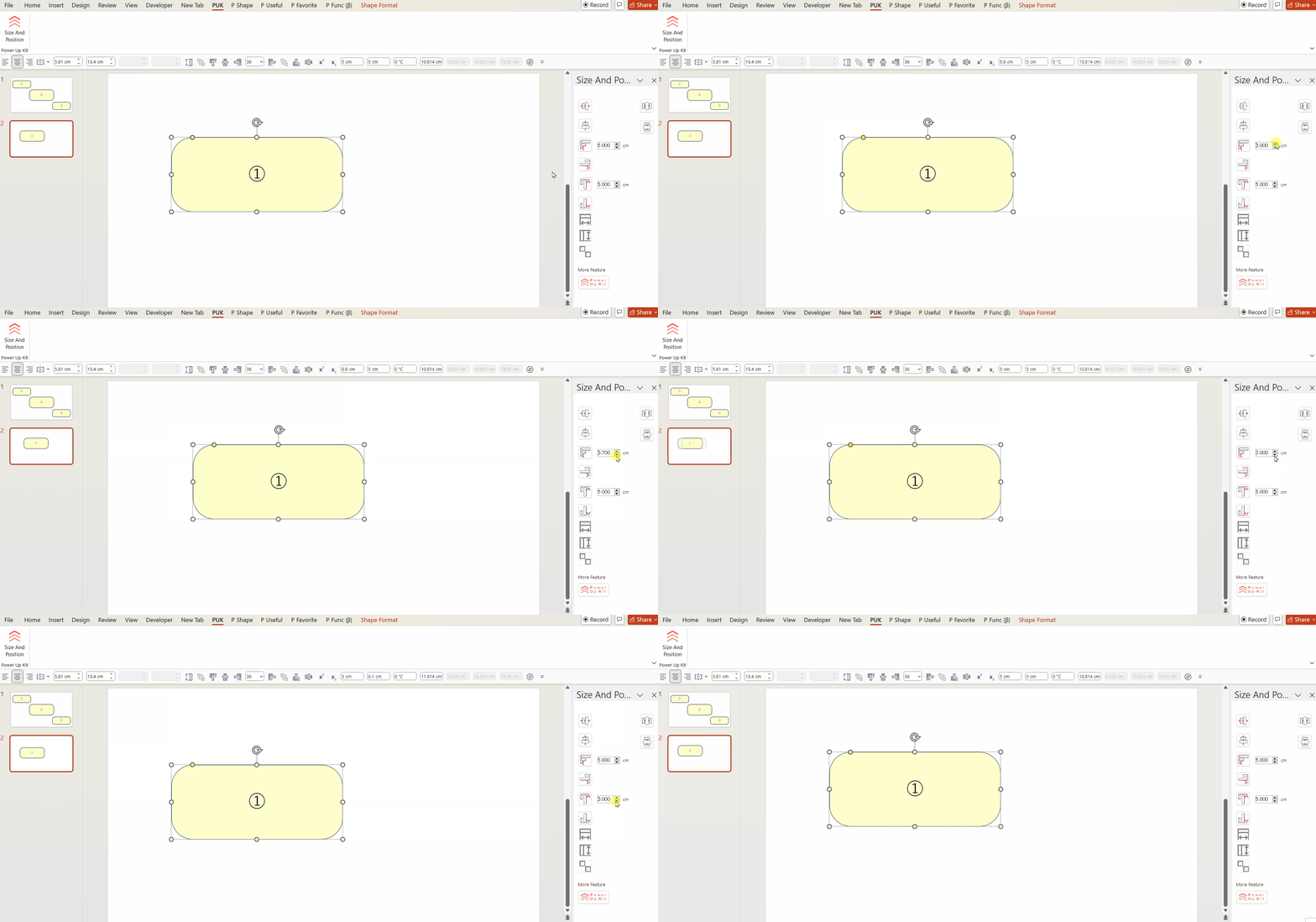
Once installed, a “PUK” tab will appear at the top of PowerPoint. From this tab, click the Size and Position icon to display eight icons in the right pane.
Then, simply select a shape and press the icon.
You can freely align shapes to the top, bottom, left, right, center, and middle.
Please focus on the right side of the screen.
We hope you will use this wonderful feature!
You can download it here.
Also, please consider donating to help us continue our activities!

Comments